Guided Mode, the New Dashboard and a Faster Storefront
This is the biggest InterLinks update yet. Flip one switch and InterLinks links your whole store for you. Prefer to run things yourself? A new Expert dashboard puts the numbers up front. Underneath both, a rebuilt linking engine makes links appear far faster on your storefront, and one Create page now covers every way to make a link.
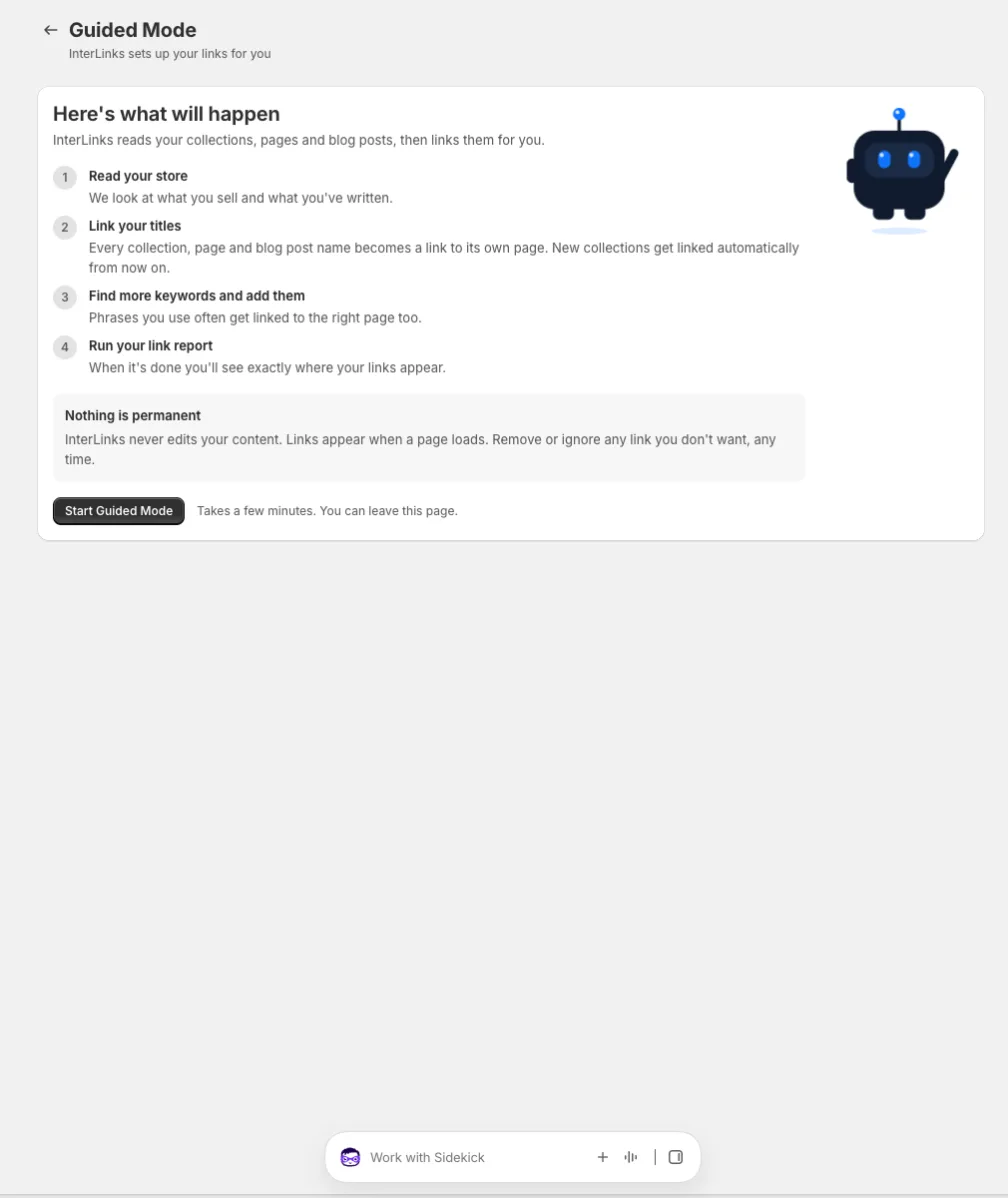
🤖 Guided Mode: flip the switch, InterLinks takes over
Guided Mode is for the merchant who wants internal linking done, not managed. Turn it on and InterLinks reads your store, links every collection, page and blog post name wherever it appears, finds the phrases you use most and links those too, and keeps new collections linked from then on. No setup list, no settings to learn.
🔒 Nothing is permanent
InterLinks never edits your content. Links appear when a page loads, and any link is yours to keep, remove or ignore.
↔️ Switch any time
Self-Guided and Guided sit side by side at the top of the app. Move between them whenever you like; your links stay put.
Two dashboards, one for each kind of merchant
Opening InterLinks now lands you on a dashboard built for how you work. Both show the same truth about your store, in the language that suits you.
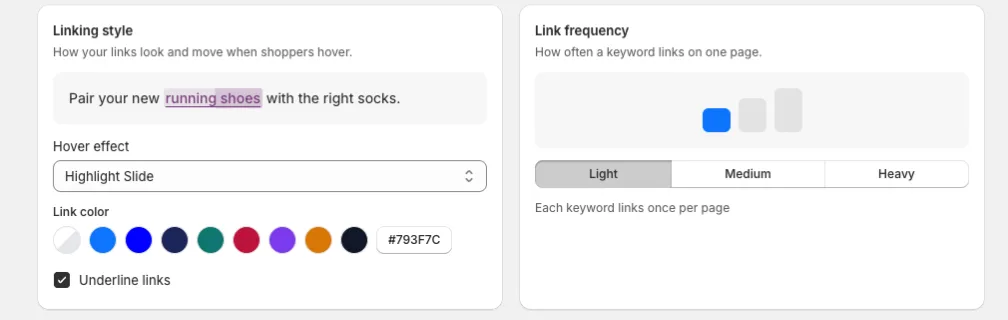
🧭 Guided dashboard
One calm status line, your link style and link frequency as simple choices with a live preview, and a help card. Pick how links look, from underlined to a soft highlight that slides in, and choose Light, Medium or Heavy linking. Every choice saves itself.
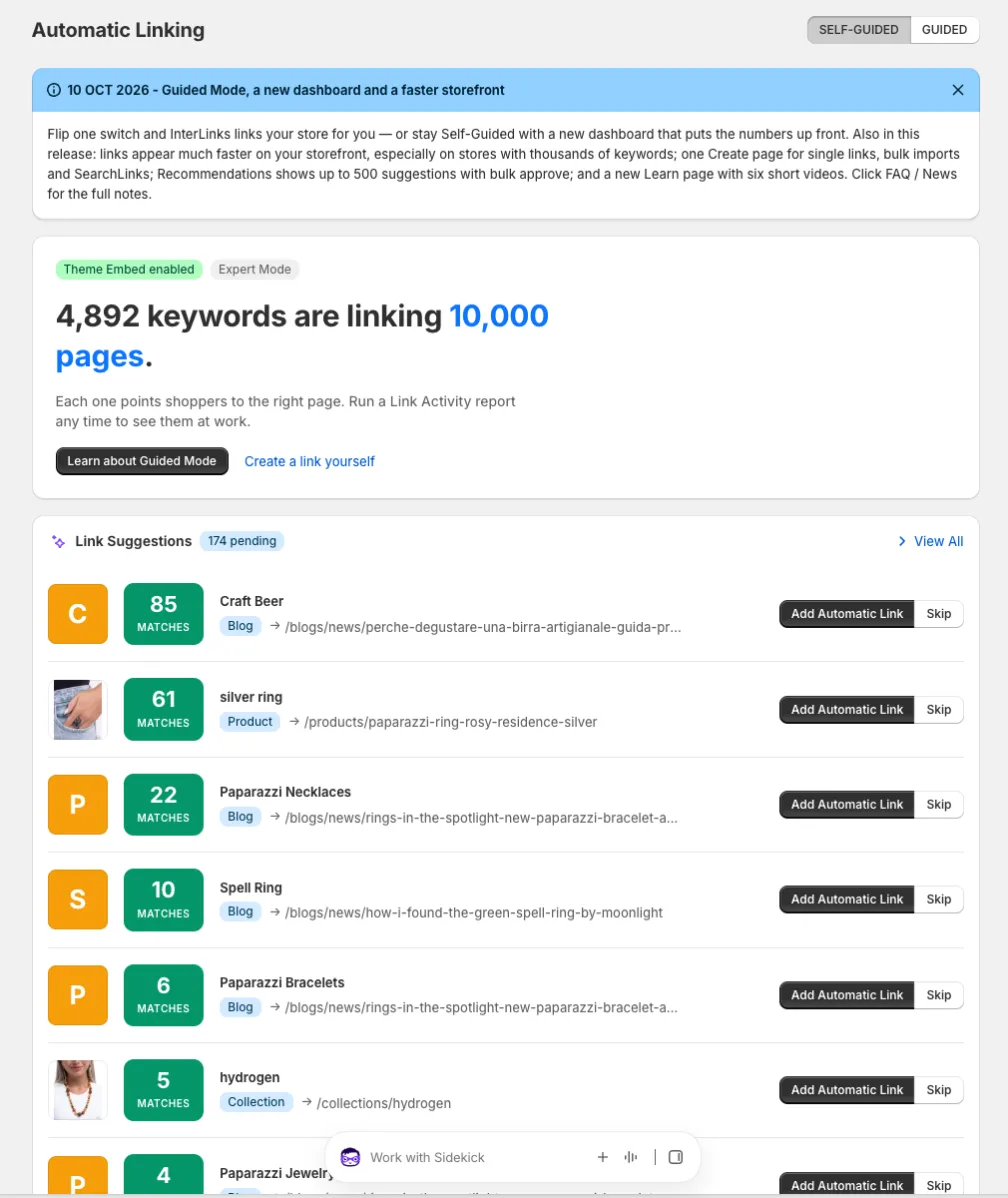
📊 Expert dashboard
The numbers up front: keywords linking, pages covered, matched phrases, density, and your catalog at a glance. The eight best link suggestions sit right on the page with Add and Skip, and every deeper view is one row away.
⚡ A faster storefront, especially for big keyword lists
The engine that finds your keywords on a page was rebuilt from the ground up. It used to check every keyword against every block of text, one at a time. Now it reads each page once, no matter how many keywords you have. Shoppers see links sooner, and the page stays responsive while it happens.
The gain grows with the size of your keyword list. On one store with nearly 14,000 keywords, the linking pass on a long article dropped from over four seconds to about a tenth of a second on a throttled mobile connection. Stores with a few thousand keywords see links land several times faster. Small stores were already quick, and stay quick.
What gets linked did not change. Every page was checked link for link against the previous engine before this shipped.
Also in this release
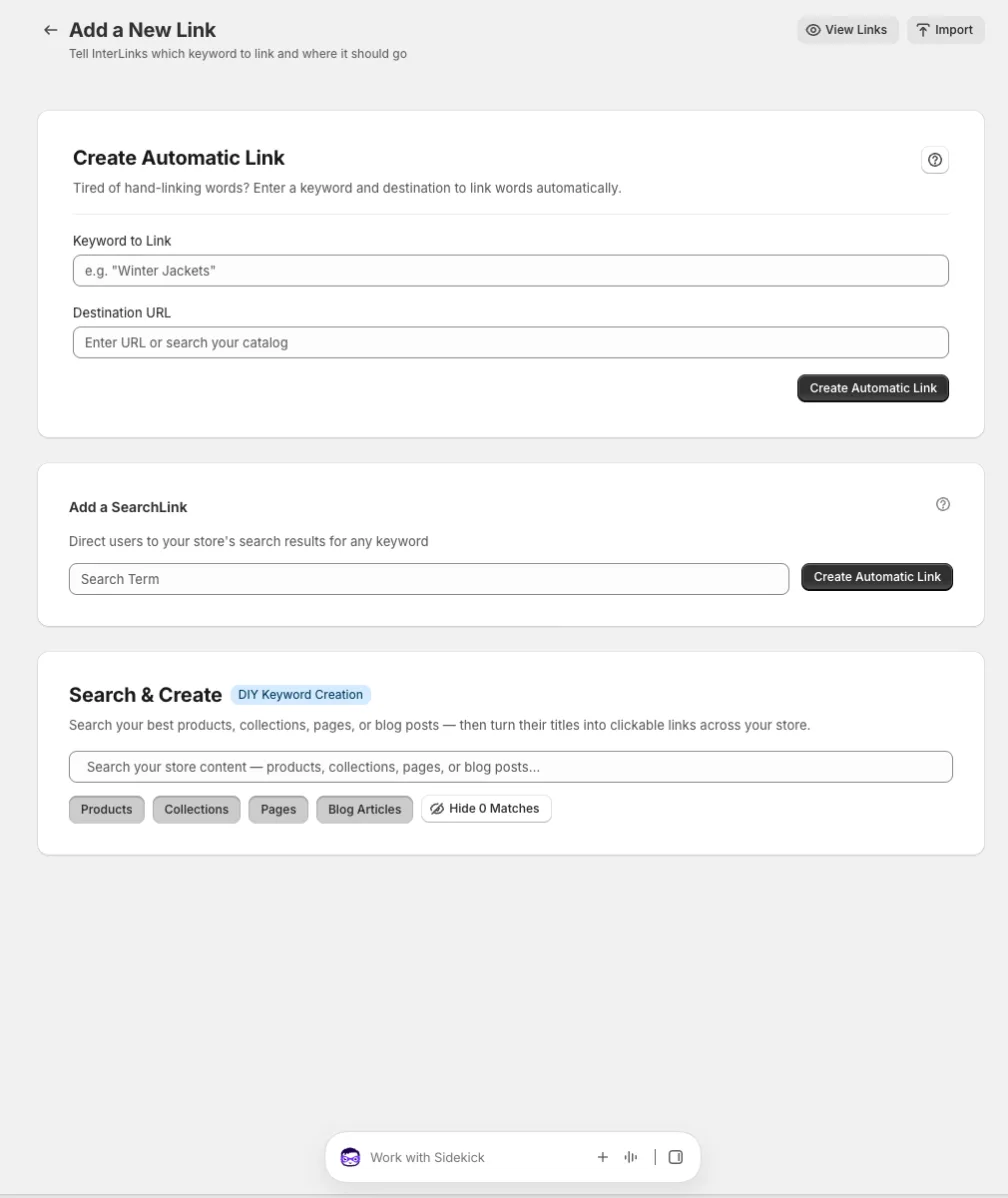
➕ One place to create links
The Create page is now the single home for every way to make a link: a keyword and destination, bulk import of your collection, page, post and product titles, a SearchLink that sends shoppers straight to search results for a phrase, and catalog search.
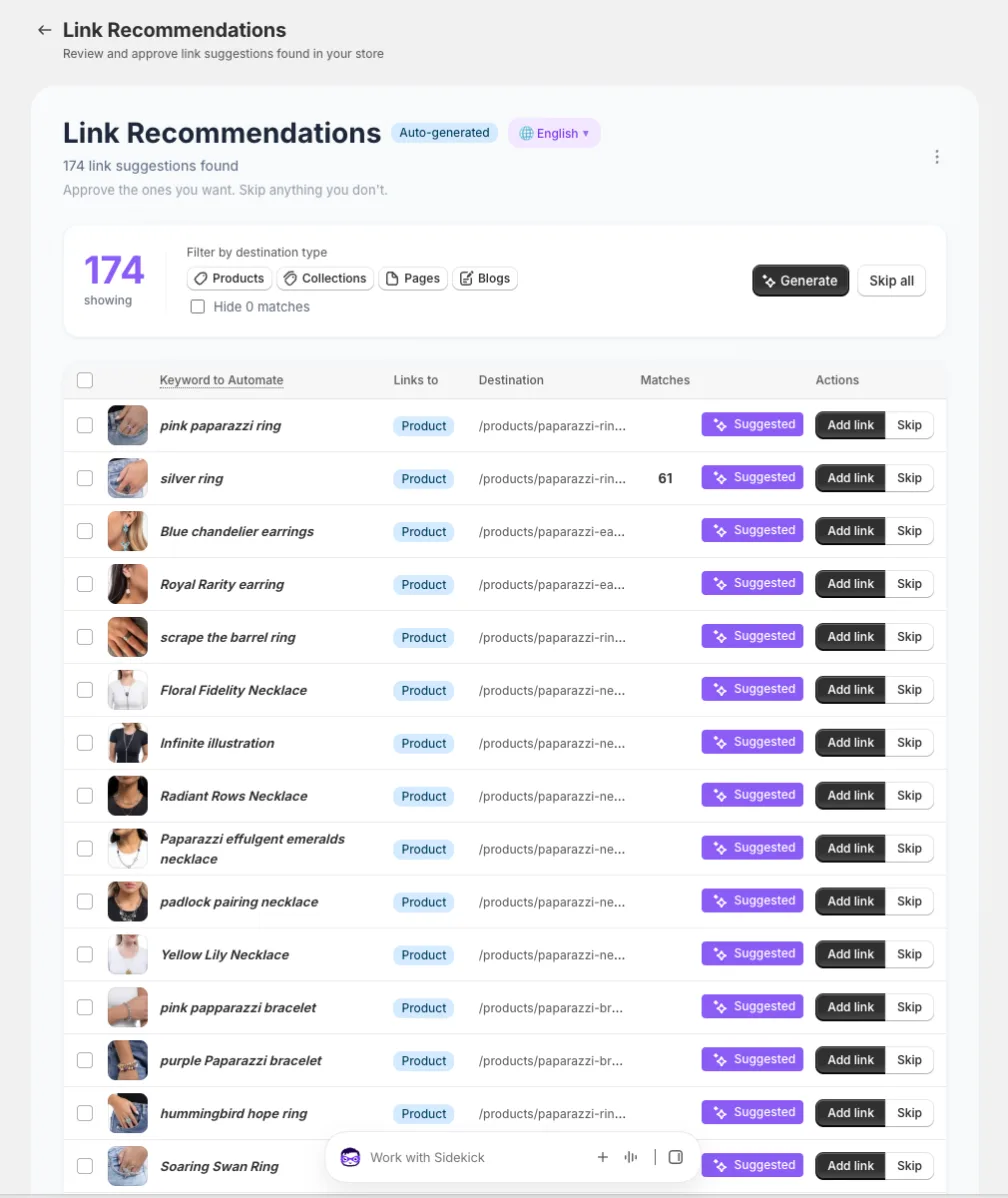
✅ Recommendations, 500 at a time
The Recommendations page now shows every pending suggestion, up to 500, instead of the newest hundred. Select what you want and approve them in bulk.
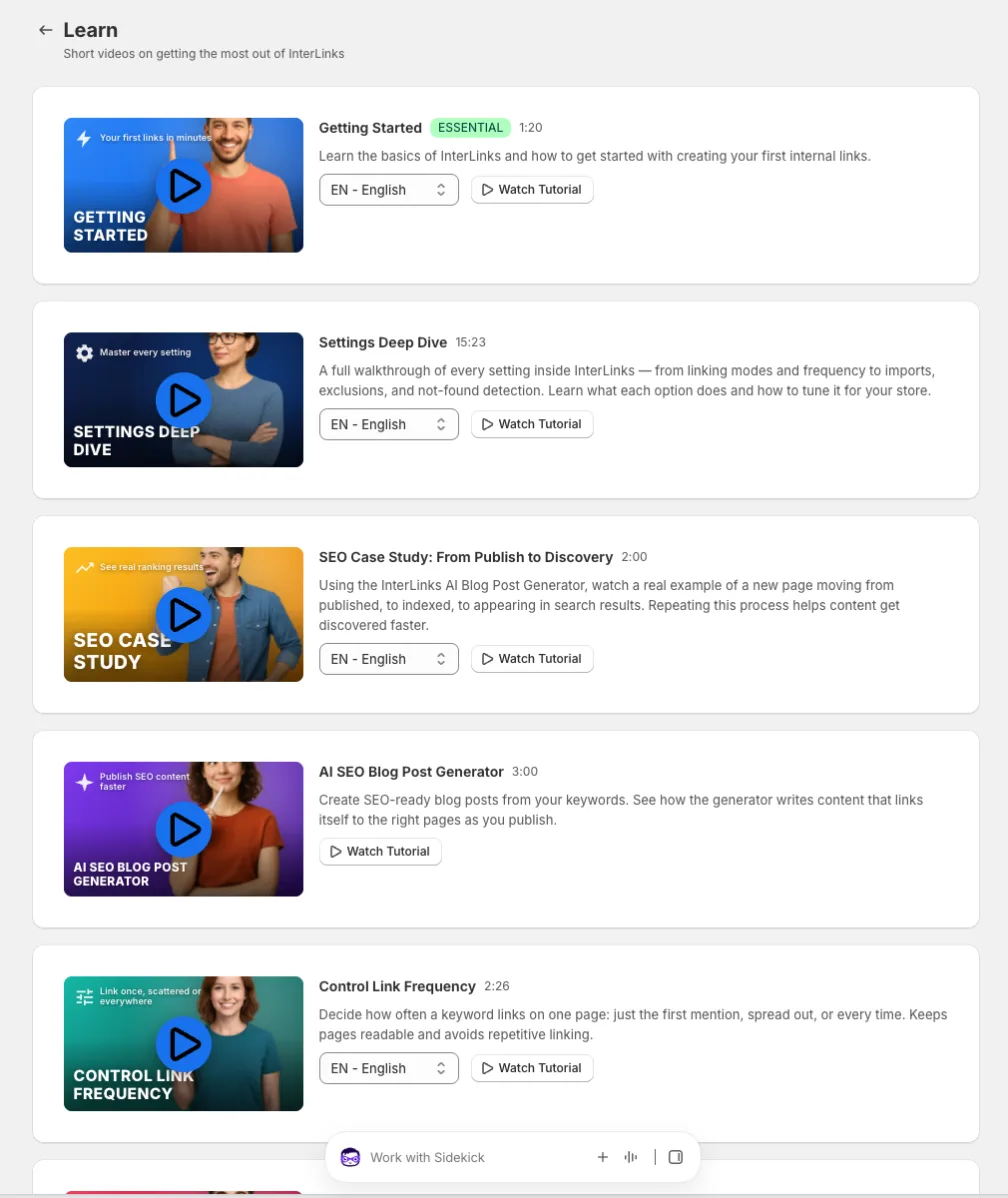
🎬 A new Learn page
Six short videos in one place: Getting Started, the Settings Deep Dive, the SEO Case Study, the AI SEO Blog Post Generator, Control Link Frequency and SearchLinks. Most are under three minutes, many in your language.
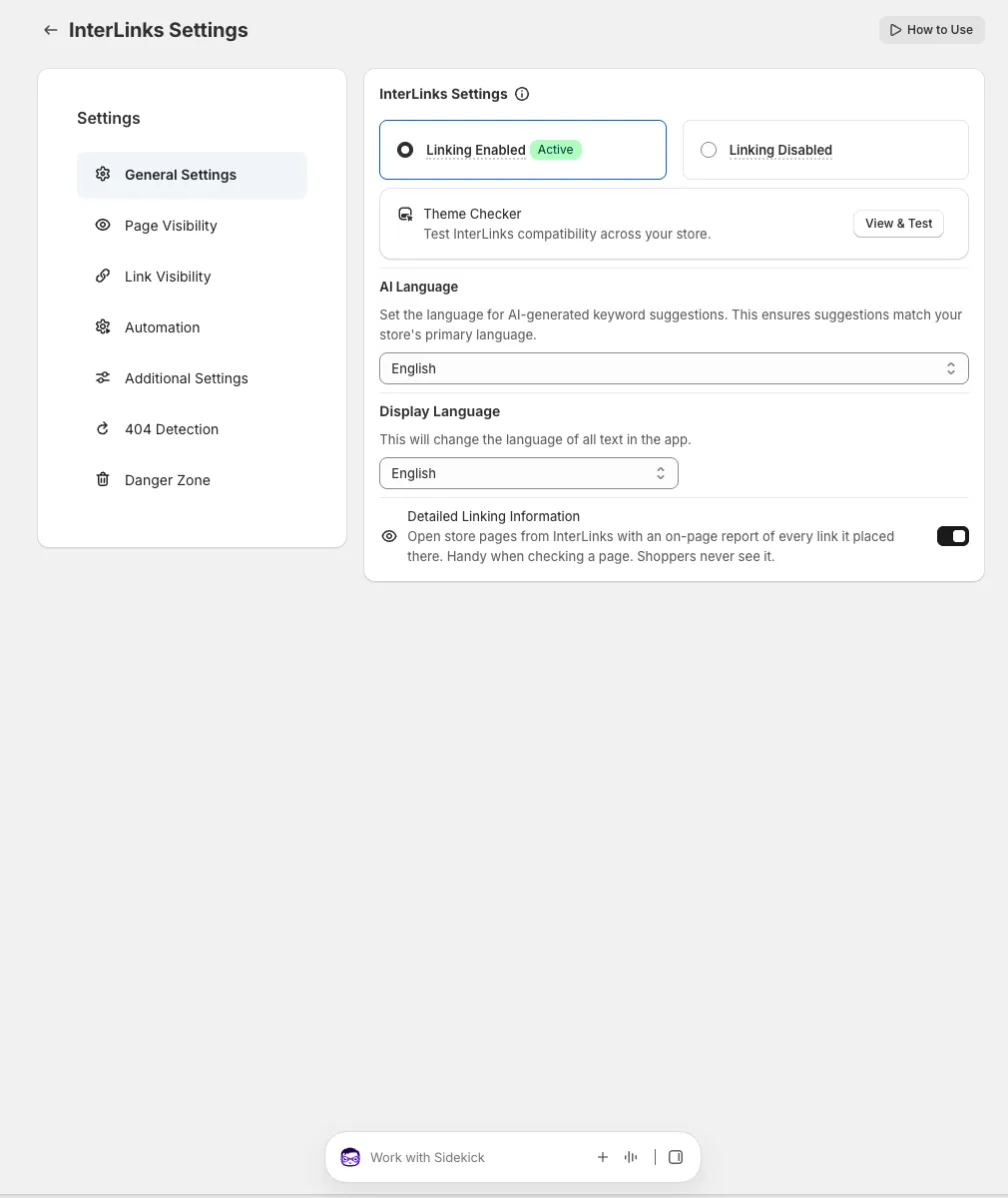
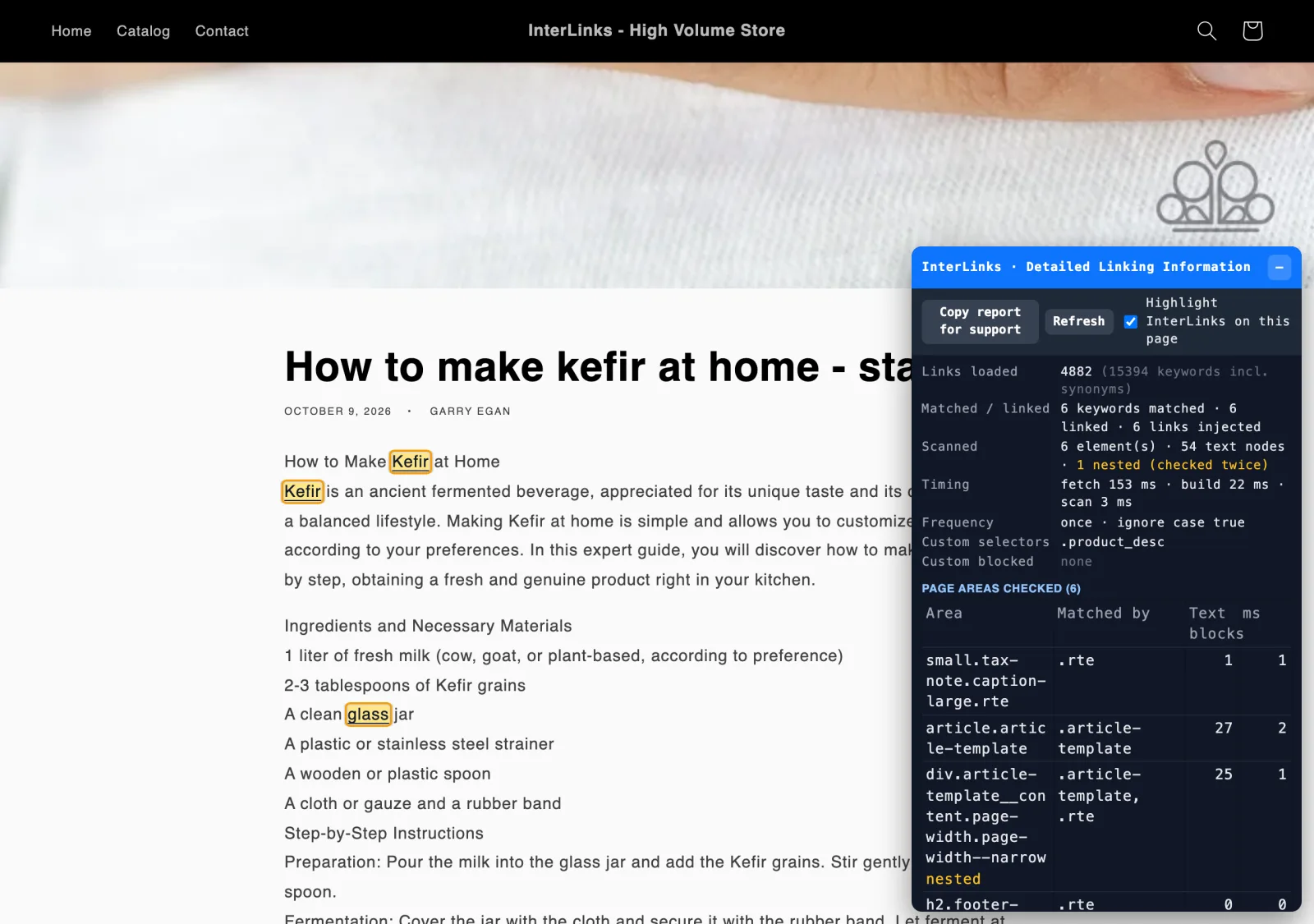
🔍 Detailed Linking Information
A new switch in Settings. Turn it on and any store page you open from InterLinks carries a small on-page report: every keyword found, every link placed, and what was skipped. Shoppers never see it. Handy when you want to check a page, or show support exactly what you see.
🎯 What this adds up to
- For new stores: one switch gets a fully linked store, with new collections linked automatically after that.
- For hands-on merchants: the numbers and the controls are on the first screen, and creating links is one page.
- For every shopper: links appear faster, on every page, with nothing to configure.
Everything here is live for every InterLinks merchant today. Open the app, and you will land on the dashboard that fits you.
Let InterLinks link your store
Guided Mode is one switch away. Or stay Self-Guided and enjoy the new Expert dashboard.
Open InterLinks